
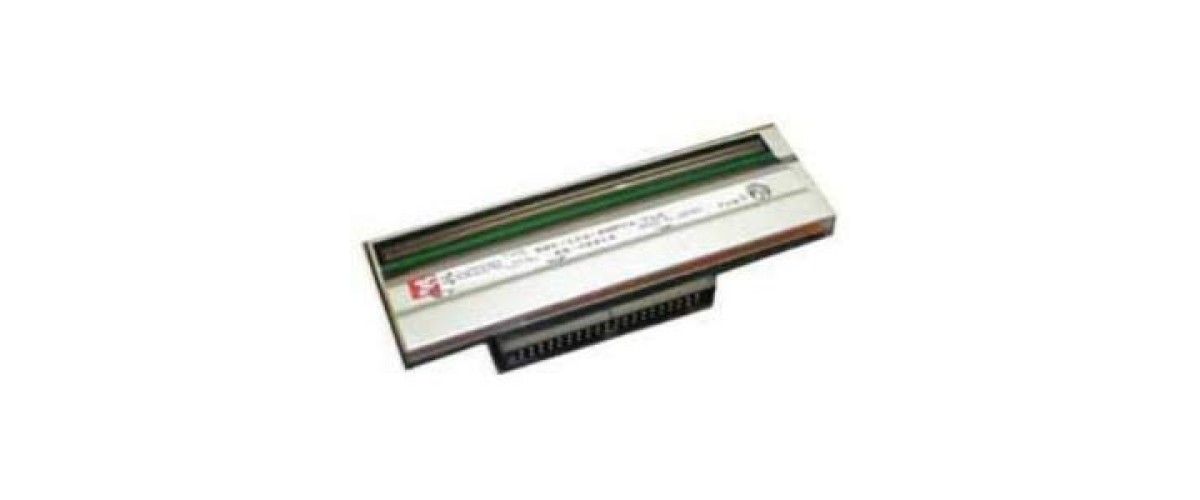
A thermal print head is a consumable, not a permanent part. It is a row of tiny heating elements pressed against moving media, and it wears out. Knowing the signs saves you from throwing away a printer that only needs a part.
Signs a head is going
- A consistent white line down every label. The clearest symptom. One or more elements have failed and will not come back. If the line falls through a barcode, scanners will start rejecting it.
- Print that is lighter on one side. Often uneven wear, sometimes pressure that needs rebalancing first.
- Faded output even at high darkness settings. If you have been turning darkness up over months to compensate, the head is near the end.
- Barcodes that scan slowly or need several passes. Edge definition has gone soft, even if the label still looks acceptable.
What kills them early
Abrasive or dirty label stock, running a ribbon narrower than the label, too much darkness for the media, grit on the platen roller, and cleaning with anything other than isopropyl alcohol. Resin ribbons and synthetic stock also demand more heat, so heads in those jobs wear faster - that is normal, not a fault.
Making the next one last
Clean the head with isopropyl alcohol and a lint-free swab every time you change a roll. Use the lowest darkness that still gives a clean scan. Always use a ribbon at least as wide as the label. Replace the platen roller when it goes glazed or grooved, because a worn platen will destroy a new head.
Getting the right part
Print heads are model and resolution specific - a 203 dpi head will not work in a 300 dpi machine. Have the printer model and dpi to hand, or the part number from the old head. We stock heads for TSC, Zebra, Citizen and Godex machines; if you are not sure which you need, send us the model number and we will confirm it.